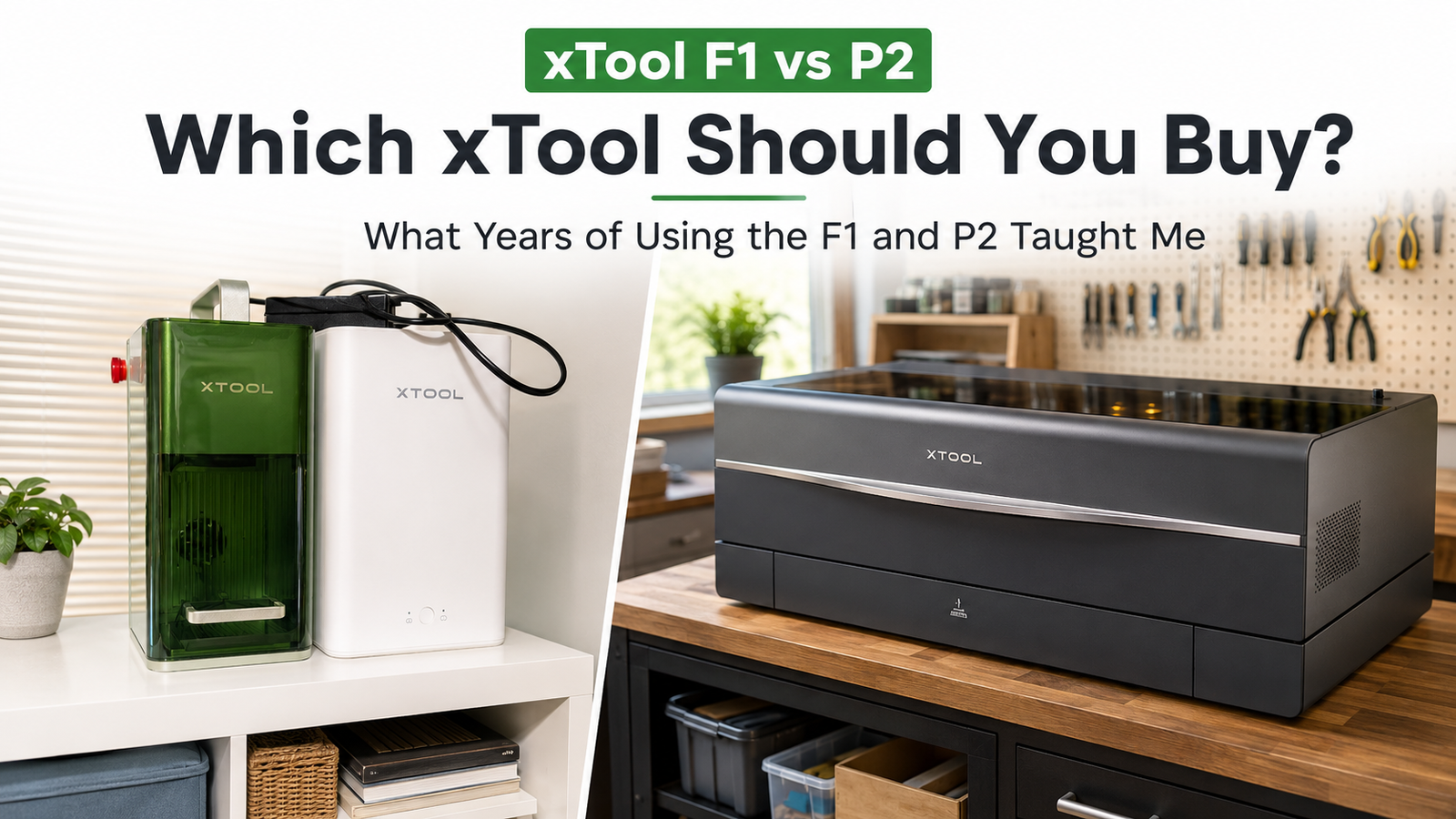
A few years ago, my husband was actually the one who convinced me that we should buy a laser.
Somehow that turned into buying two.
And somewhere along the way, I became the person who uses them the most.
Which is pretty much how new equipment seems to enter our house.
At the time, the xTool F1 and P2 were available together as a bundle. They were our first lasers, we didn’t really know exactly what we were doing yet, and I didn’t want to buy one machine only to discover six months later that it couldn’t make half the things I’d thought up.
So we jumped in with both feet.
Several years and hundreds of hours of use later, both machines are still going strong — but I use them for very different things.
If you’re comparing xTool F1 vs P2, that difference in how I actually use them is probably more useful than comparing specs alone. And if you’re considering spending this kind of money on a laser, I think that matters more than simply comparing specifications.
The questions I’d ask are:
What do I want to make? What might I want to make later? How much space do I have? And how much do I actually want to spend?
xTool F1 vs P2: My 30-Second Answer
This is how I choose between mine:
If I need to cut something — especially acrylic, larger pieces or a lot of pieces at once — I use the P2.
If I mostly need to engrave something smaller and want a quick, easy setup, I usually reach for the F1.
Sometimes I use both on the same project.
The P2 has become my workhorse.
The F1 is my quick, convenient engraver.
When I Reach for the xTool F1
My F1 is usually the machine I choose when the project is small and mostly needs engraving.
I’ve used it for tumblers, laserable leather, bag tags, dog tags, jewelry and other small personalized pieces.
It’s also compact enough that mine isn’t permanently set up. It can sit unplugged on a shelf until I need it, then I pull it out and get to work.
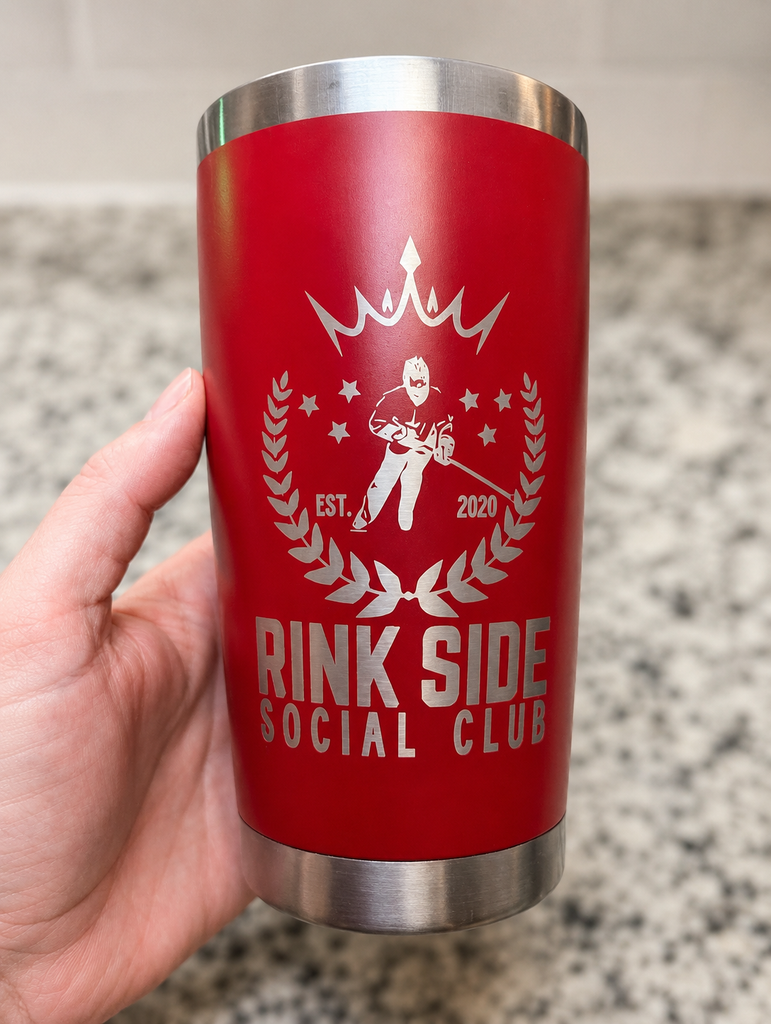
This is the kind of project that makes me pull out the F1: small, personalized, and usually pretty quick.
I particularly like it for work that needs a little more finesse.
For example, I’ve made laserable leather bag tags where I cut the actual pieces and stitching holes on the P2, then use the F1 to engrave the design.
The P2 does the heavy lifting.
The F1 does the detail work.
The One Thing That Has Required More Fiddling
Tumblers.
Different coatings — and sometimes even different colours — can behave differently, so those have taken more testing and adjusting than most of my flat engraving projects.
That is probably an entire future article by itself.
For most of my everyday F1 projects, though, I haven’t found myself constantly testing and recalibrating. I generally start with the material settings in xTool’s software, make adjustments when needed and move on to actually making the thing.
Which is exactly how I like my technology.
When I Reach for the xTool P2
If cutting is involved, I usually head straight to the P2.
I’ve used mine for wood, acrylic, clear acrylic and leather, and it has become the machine behind a huge range of projects:
- layered Christmas ornaments
- signs and home decor
- wooden flowers
- acrylic bag tags
- Player of the Game awards
- leather bag tags
- clear acrylic pieces for UV printing
- batches of team and tournament items
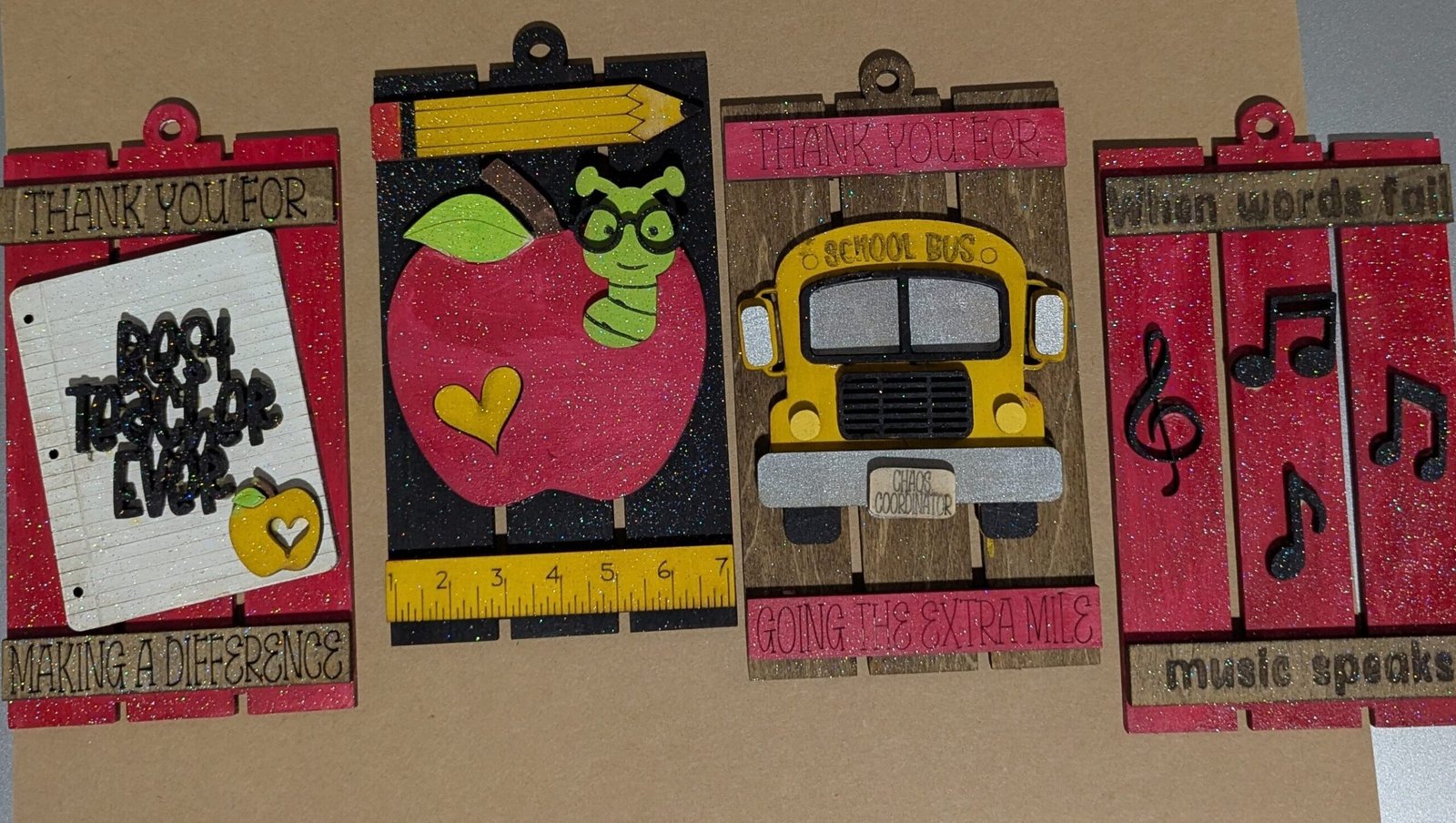
Cut on the P2, painted by hand, glued together… and yes, obviously there was glitter involved.
The P2 isn’t designed for cutting metal, so that’s not something I use it for. What I wanted was the ability to cut materials like wood and acrylic, and that’s still where it earns its space in my craft setup.
Acrylic Is Probably One of My Favourite Materials
Once I started experimenting with acrylic, a lot more project ideas opened up.
I particularly like two-tone acrylic, where engraving removes the top layer and exposes a contrasting colour underneath.
I’ve also used clear acrylic for projects that combine the P2 with my UV printer. I can cut the acrylic into the size or shape I want and then print a photo or design directly onto it.
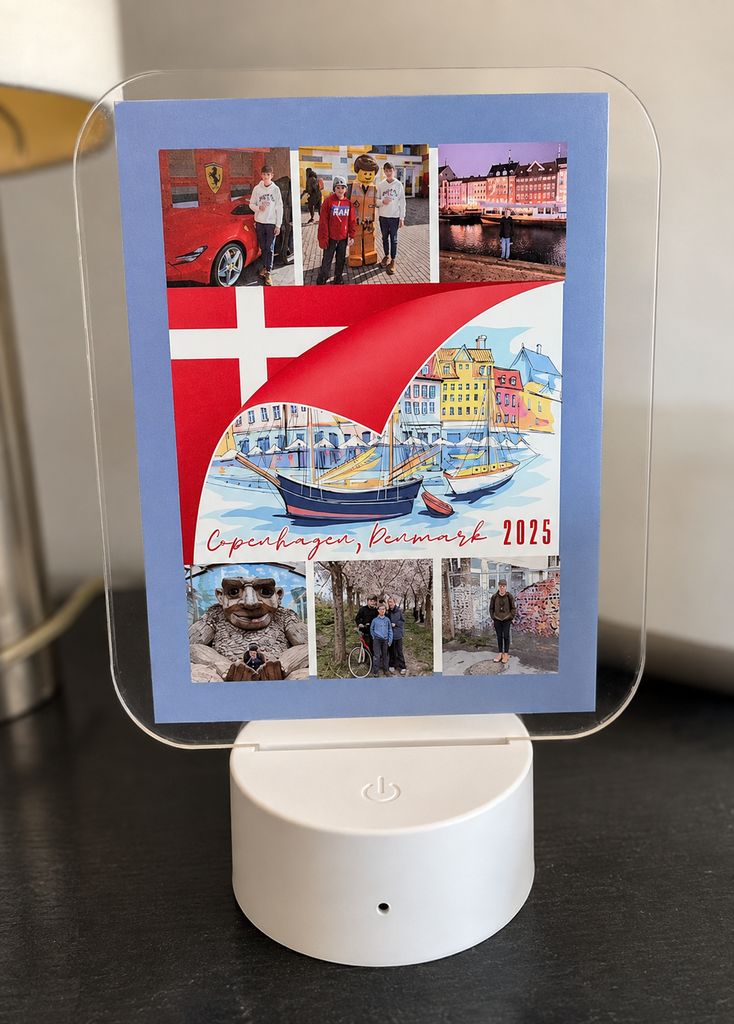
Cut on the P2, printed with the UV printer — this is exactly the kind of crossover project that keeps giving me new ideas.
That’s the kind of thing I couldn’t have predicted when we first bought the lasers — and exactly why I’m glad I had some room to grow.
If I Need 20 of Something, I Use the P2
Batch work makes the decision pretty easy.
If I’m engraving one small item, the F1 is wonderfully convenient.
If I need twenty?
P2.
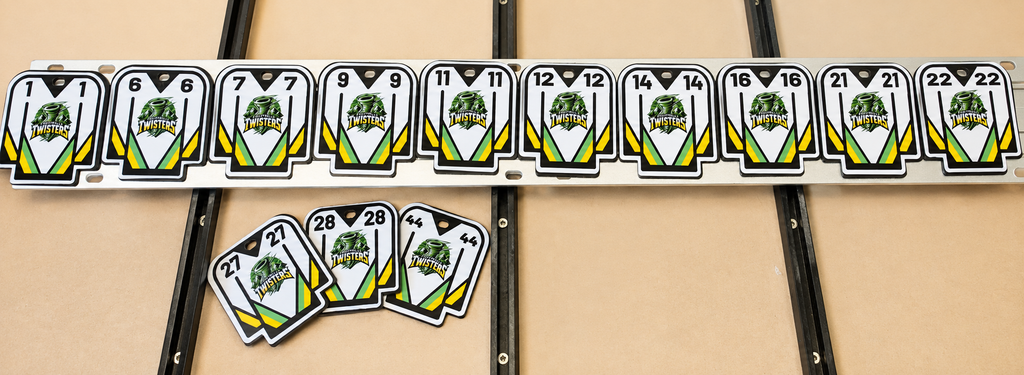
For one ringette tournament, I cut a batch of jersey-shaped acrylic pieces and added personalized stickers to turn them into Player of the Game bag tags.

Why use one machine when three will do? P2-cut acrylic, a StarCraft Solo sticker, and an F1-engraved metal tag.
That is the kind of project where the larger working area makes a noticeable difference.
It’s also how a perfectly innocent thought like:
I could make those.
turns into:
Apparently I’m making 100 of those.
Sometimes the Best Answer Is Both
After using them for a few years, I don’t really think of the F1 and P2 as competing machines.
They complement each other.
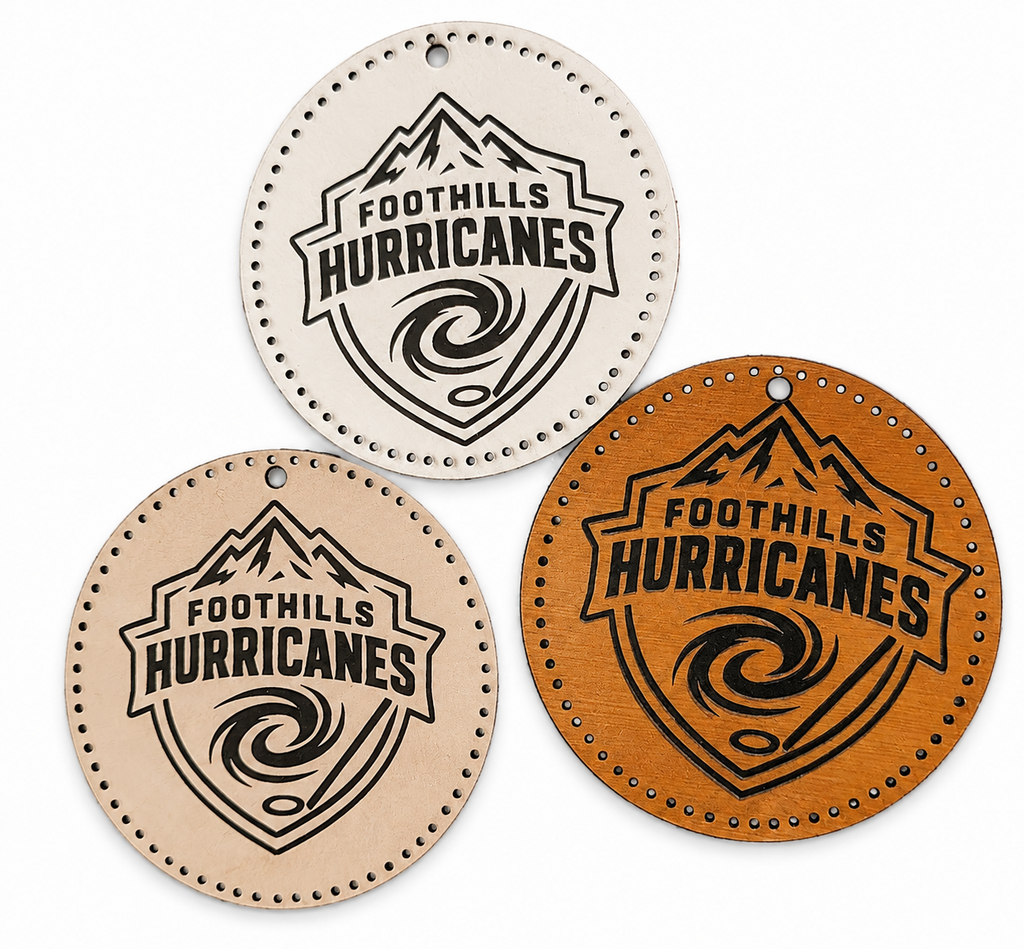
The leather bag tags are a perfect example: cut the pieces and stitching holes on the P2, engrave them on the F1 and stitch them together afterward.
That’s very Make Print Stitch.
One project.
Multiple machines.
Possibly more steps than strictly necessary.
But also much more freedom to make the finished product the way I pictured it. That same mindset is probably why I’ve ended up using my 3D printer for so many everyday projects too — it’s less about the machine itself and more about having another way to make the thing I have in my head.
The Workspace Difference Matters More Than I Expected
This is something I would pay much more attention to if I were buying a laser for the first time today.
The F1 can live on a shelf.
The P2 cannot.
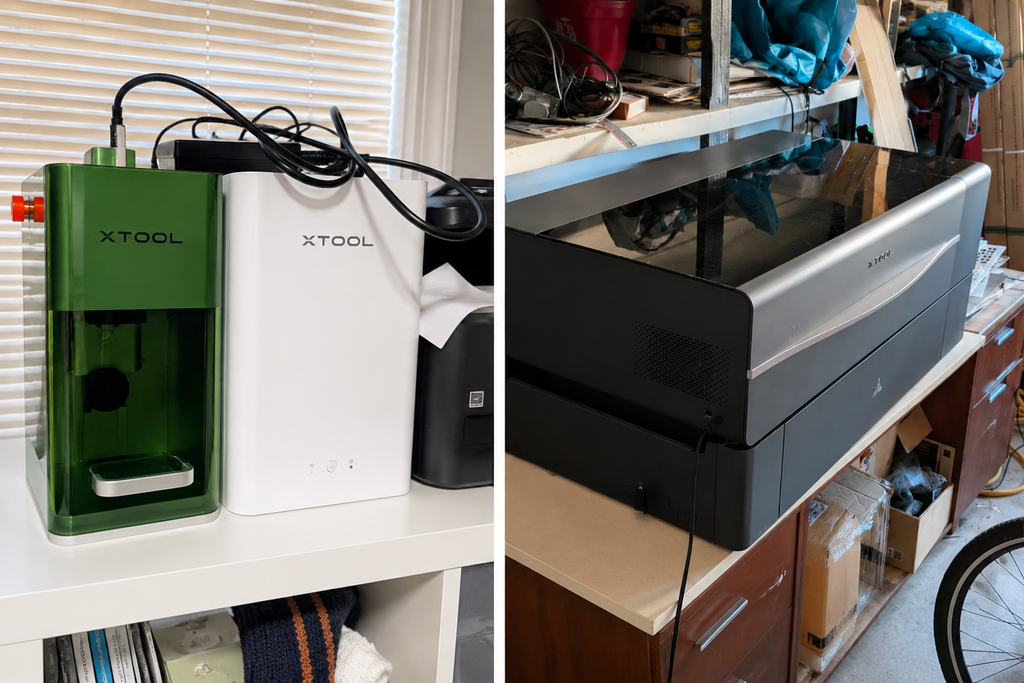
The F1 can live on a shelf. The P2 has claimed permanent residency in the garage.
My P2 is large, heavy and has a permanent home in my heated garage.
Once it went there, that was basically the end of the discussion.
It lives there now.
The F1 can be moved around when I need it.
So before buying, I wouldn’t only ask:
What can this machine do?
I’d also ask:
Where am I actually going to put this thing?
Because the machine with more capabilities isn’t necessarily the better purchase if you don’t have a practical place to use it.
What Has Surprised Me Most After a Few Years
I haven’t felt the need to replace either one.
There are newer machines now. More features. More options. New versions of things.
And yet mine still do what I bought them to do.
My P2 has hundreds of hours on it and gets considerably more use than my F1. It lives in a heated garage through Alberta winters and continues plugging away.
The F1 can sit unused for a while, then I pull it out, plug it in and use it again.
And I should probably admit that I’m not exactly the poster child for obsessive machine maintenance.
I’m more of an:
Is it still working? Excellent.
kind of person.
That doesn’t mean lasers don’t require care or that every machine will have the same lifespan. This is simply my experience with mine.
But several years later, I’m still making new things with both of them.
For equipment this expensive, I think that’s an important part of the value.
Do You Need the Latest and Greatest Laser?
I don’t think you automatically do.
The xTool lineup has changed since I bought my machines, and I’d absolutely compare the current options if I were shopping today.
But I wouldn’t start by asking which one has the longest feature list.
I’d start here:
What do you want to make?
Mostly small engraved items, tumblers, jewelry, tags and personalized gifts?
A compact engraving-focused machine may be enough.
Want to cut acrylic, make signs, layered decor, larger pieces or batches?
I’d look toward a larger cutting machine.
What might you want to make later?
This question mattered for me.
When we bought our lasers, I didn’t know I’d eventually be making tournament awards, leather bag tags, clear acrylic photos, Christmas ornaments and all the other things I’ve tried since.
I did know myself well enough to know there would be more ideas.
If you’re an intense crafter too, you probably know exactly what I mean.
Where will it live?
A portable machine and a large CO₂ laser are very different commitments.
Figure out where you’re going to put it before the giant box arrives.
Highly recommended.
What fits your budget?
More capability is great.
Paying for features you’ll never use is less great.
The goal isn’t to own the most impressive machine.
It’s to own the machine you’ll actually use.
What About the Learning Curve?
I use xTool Creative Space with my machines and have found it intuitive enough that I haven’t felt the need to move into more advanced laser software.
I know plenty of laser users do.
That’s great.
I just haven’t needed to.
I can leave the machines alone for a while, come back when I have another project and remember how to get going without relearning an entire software system.
I also regularly use files I’ve purchased rather than designing everything myself.
That’s another recurring theme around here.
I want technology to help me make things.
I don’t necessarily want mastering the technology to become another full-time hobby.
I already have enough hobbies.
So Which One Would I Choose?
If most of my projects were small personalized products and engraving, I’d lean toward the F1 style of machine.
If I wanted to cut acrylic, make larger pieces, work with sheets of material or produce batches, I’d choose the P2 style.
And if you’re someone like me who regularly looks at something and thinks:
I could make that.
I’d consider not only what you want to make today, but where your creativity is likely to take you next.
Would I Buy Mine Again?
Yes.
Not because they’re the newest machines anymore.
They’re not.
I’d buy them again because, several years later, I’m still finding new things to make with them.
That’s probably the best measure of value I can give you.
The P2 still cuts the projects I dream up.
The F1 still handles the smaller engraving jobs.
And neither one has become obsolete in my craft space simply because something newer was released.
If I were choosing today, I’d start with four questions:
What do I want to make?
What might I want to make later?
Where will I put it?
What can I comfortably spend?
Then choose the machine that gives you the best chance of continuing to say:
I could make that.
Make it. Print it. Stitch it.